Privacy and your data
What data Qurannotate keeps, how it is used, and how to have it deleted.
Last updated 27 September 2026
Policies
- —Privacy Policy: qurannotate.com/privacy (also at app.qurannotate.com/privacy)
- —Terms of Use: qurannotate.com/terms (also at app.qurannotate.com/terms)
Qurannotate is operated by Qurannotate Ltd, a company registered in England and Wales.
What Qurannotate stores
- —Your account: email address, display name and profile picture, and your name from Google, Apple or Quran Foundation if you sign in with them.
- —Your content: your mushafs, notes, drawings, notebooks, uploaded files and images, bookmarks and progress. It's stored securely in your account so it can sync across your devices.
- —A copy on your device in the mobile and desktop apps, so you can work offline.
- —Membership records: payments are handled by Apple, Google Play or our secure payment provider. Qurannotate doesn't store your card number.
- —Usage and crash information to keep the app working and improve it. This doesn't include the content of your notes.
- —Notification settings in the mobile apps, so we can send the notifications you've allowed.
- —There is no advertising ID, and the web app doesn't use cookies for analytics.
Who can see your notes
- —Only you, unless you share a mushaf or note (see "Sharing and live collaboration").
- —The leaderboard shows your display name and annotation count. Turn off Public Leaderboard Visibility in Settings > Account to hide them from the public leaderboard.
AI features
- —When you use AI features, your question and relevant context (such as your current note, or a screenshot of it) are sent to our AI provider to produce the answer. The app states this is processed by Google's enterprise AI (Vertex AI) and not used to train external models.
- —AI Community Learning (Settings > Account) lets your annotations help improve AI answers for other students, shared anonymously. It's on by default and you can turn it off at any time.
- —Live transcription and translation send your audio to speech and translation services to produce the transcript.
Your choices and rights
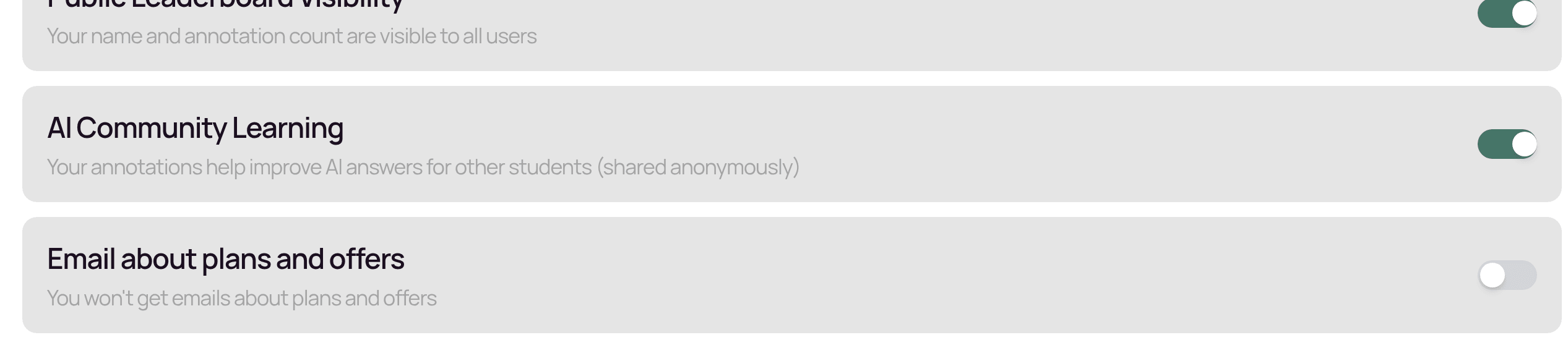
- —Turn marketing emails on or off in Settings > Account.
- —Export your notes at any time (see "Exporting your notes").
- —To ask for a copy of your data, a correction, or deletion, email salam@qurannotate.com from your account's email address. You can also delete your account in the app (see "Your profile, signing out and deleting your account").
For full details, please read the Privacy Policy.
Related Articles
Was this helpful?
Ready to annotate the Qurʼān?
Qurannotate is free to start — no sign-up required on web.