Your profile, signing out and deleting your account
Edit your profile, sign out, and delete your account and data.
Last updated 27 September 2026
Opening your account settings
- —Wider screens (desktop, web, most tablets): click Settings in the left sidebar, or click your profile picture. Then choose the Account tab.
- —Phones: tap Profile in the bottom bar, then the Account tab.
Settings has these tabs: Theme, Account, Plan, Contact. In the iPhone/iPad and Android apps there is also Notifications.
Profile picture and display name
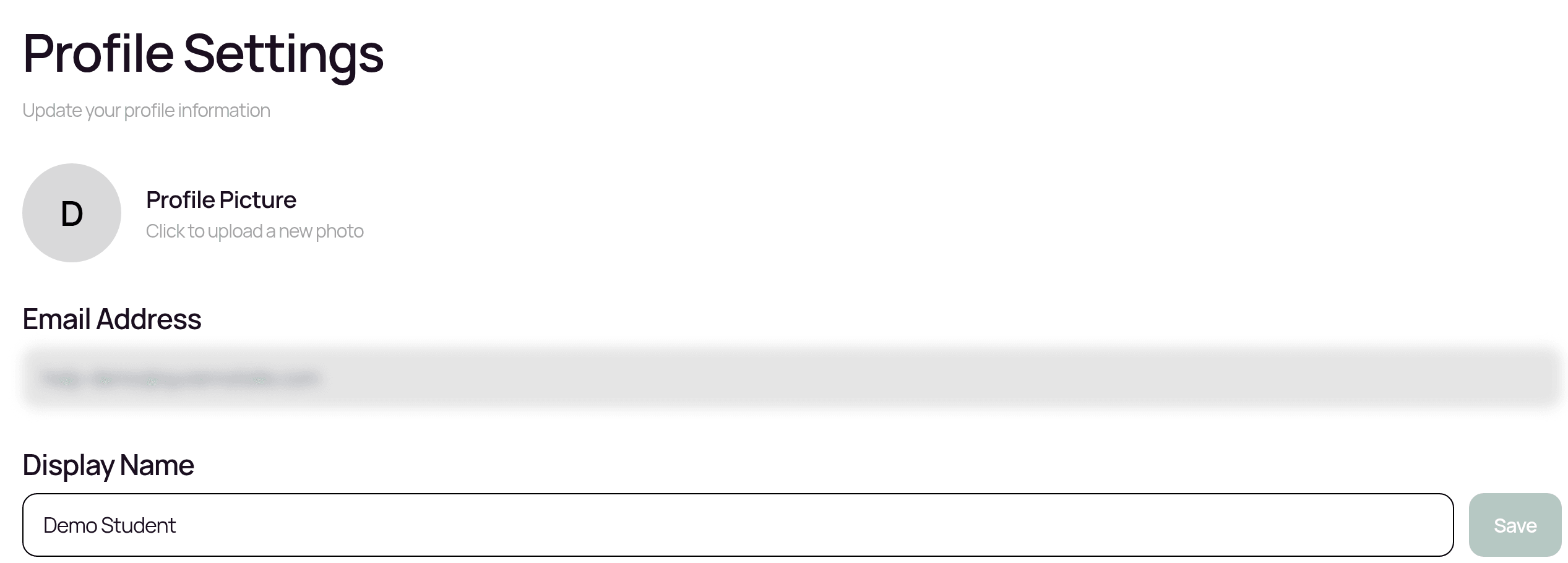
Under Profile Settings on the Account tab:
- —Profile picture: tap the camera button on your avatar and choose a photo (JPEG, PNG, WebP or GIF). You'll see Profile picture updated!
- —Display Name: type a new name and tap Save. This is the name other people see, for example on the leaderboard and when you collaborate.
- —Email Address: shown for reference.
Changing your email address
You can't change your account's email address in the app. If you need your email changed, contact salam@qurannotate.com from the email address currently on your account.
Signing out
- —Settings > Account > Sign Out, then tap Sign Out.
- —Or, on wider screens, click Logout in the left sidebar and confirm Sign Out.
Signing out ends your session on all your devices, so you may need to sign in again on your other devices too.
Before signing out, make sure your recent changes have synced (no "Syncing" or "Failed" indicator is showing). See "Offline use and sync".
Deleting your account
Cancel your subscription first. Deleting your account does not cancel a subscription with Apple, Google Play or card billing. See "Managing or cancelling your membership".
Then:
Open Settings > Account and scroll to the Delete Account section.
Tap Delete Account.
Read the confirmation. It explains that your account and all your data will be permanently deleted, including your mushafs, annotations and drawings, AI conversations and study history, subscription and payment records, and friends, leaderboard and profile. This cannot be undone.
Tap Delete My Account.
If you see an error such as "Something went wrong. Please try again or contact support@qurannotate.com", or you can't get into the app, email salam@qurannotate.com from the email address on your account and ask for your account to be deleted. The team will process it for you.
There is no "download my data" button in the app. If you want a copy of your notes before deleting, export your mushafs first (see "Exporting your notes"), or ask the team by email.
Related Articles
Was this helpful?
Ready to annotate the Qurʼān?
Qurannotate is free to start — no sign-up required on web.