Using the AI Study Assistant
Ask about a verse, generate study notes, and turn lectures into notes.
TL;DR
The AI Study Assistant opens from the AI Study button on the canvas toolbar, the header sparkle button, or the dashboard, and can explain a verse, summarise, and suggest reflection prompts and study questions, using AI credits. Its Lecture tab transcribes a recording or YouTube link, and Copy into a notebook turns the transcript into study notes.
Last updated 27 September 2026

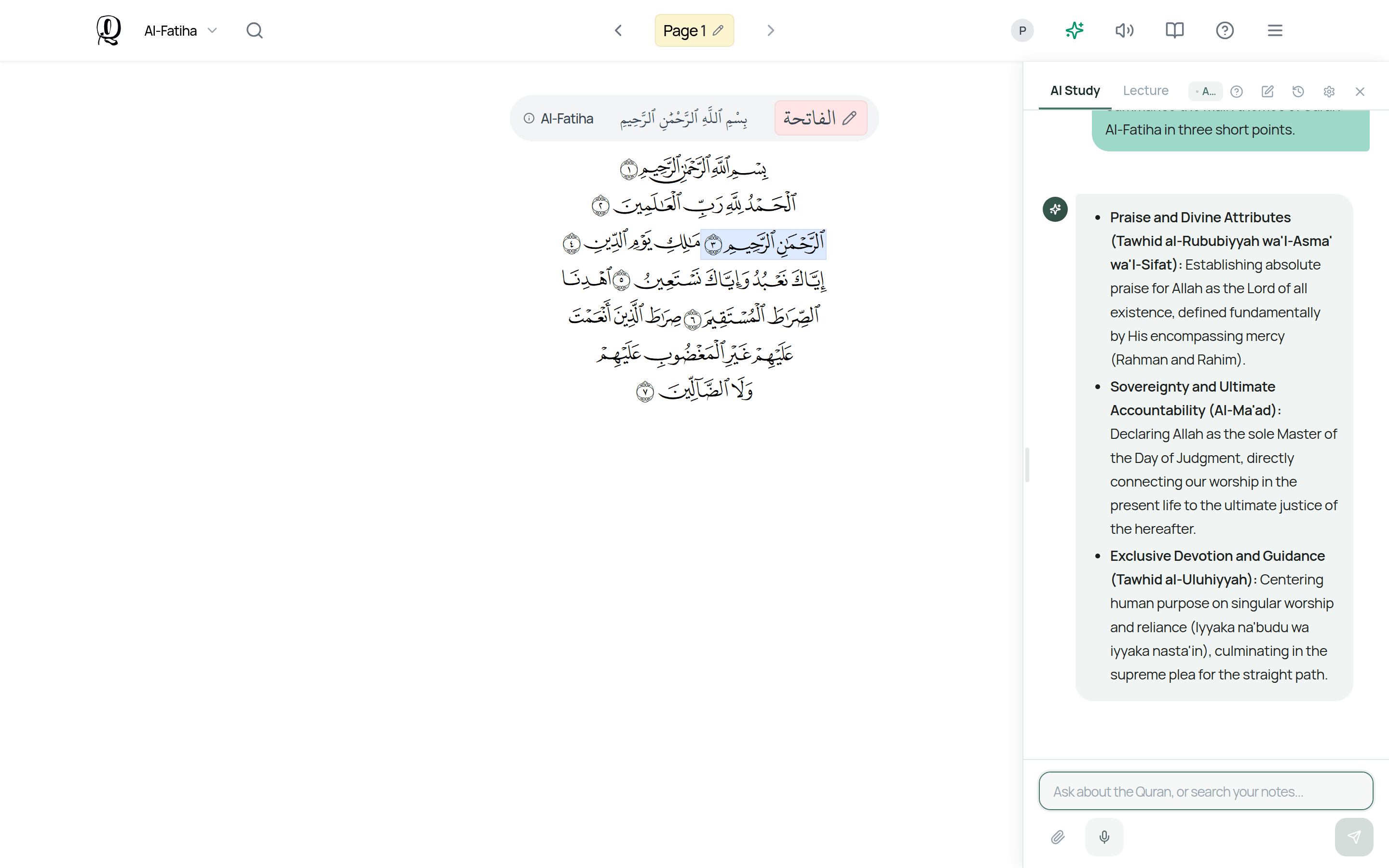
The AI Study Assistant helps you study right inside Qurannotate. Open it with the AI Study button on the canvas toolbar (on phones it is in the top row), the sparkle button in the mushaf or notebook header, or the Study with AI card on the dashboard. A panel opens to the side. The assistant uses AI credits.
AI Study Tab
Ask about the verse or page you are on — for example, ask for an explanation, a summary, reflection prompts, or study questions. Quick-action buttons give you one-tap options, and the assistant can add notes and visuals straight onto your canvas.
Lecture Tab
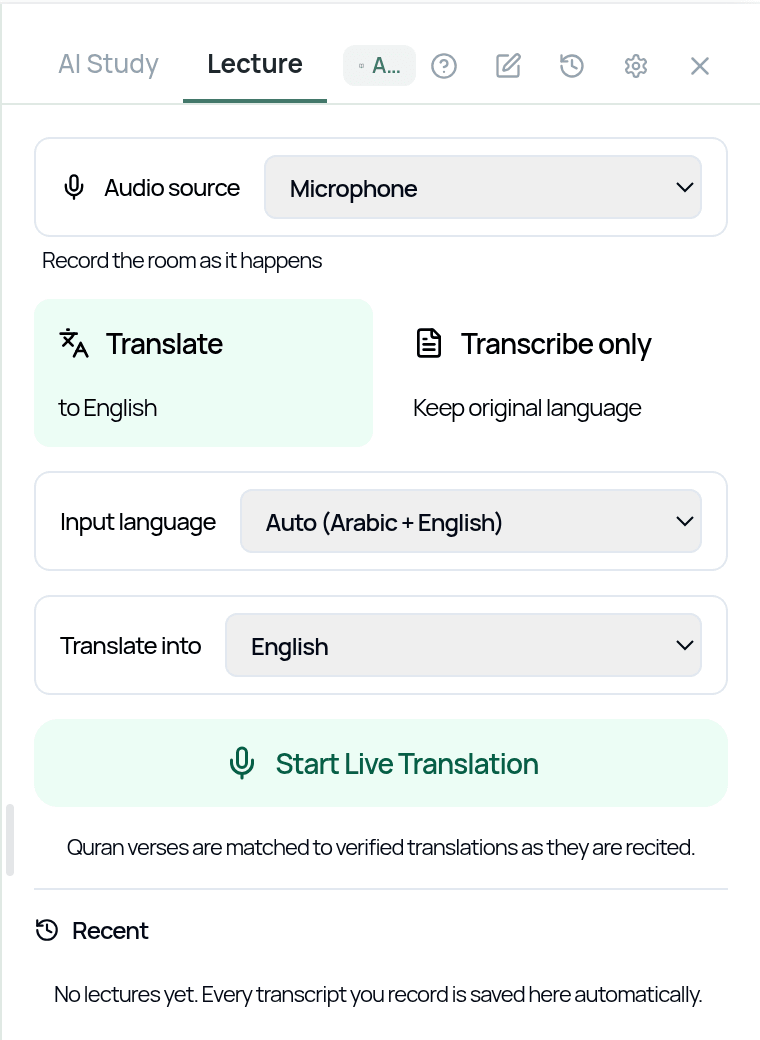
Turn a talk into a transcript: record with your microphone, upload an audio file, or paste a YouTube lecture link, and the assistant transcribes it (this uses credits too). Then tap Copy into a notebook if you want the AI to turn the transcript into study notes on your open canvas — this uses chat credits.
The assistant is a study aid. For Islamic rulings, tafsir, and detailed religious guidance, always refer back to qualified teachers and trusted sources.
Related Articles
Was this helpful?
Ready to annotate the Qurʼān?
Qurannotate is free to start — no sign-up required on web.