Translations, tafsir and word-by-word
Open translations, tafsir and word-by-word meanings beside the Qur’an.
Last updated 27 September 2026
While reading a mushaf, tap Show translations in the header to open the side panel. You can drag its edge to resize it, and keep reading and annotating while it's open. It follows the page you're on.
The panel has two tabs: Translations and Tafsir.
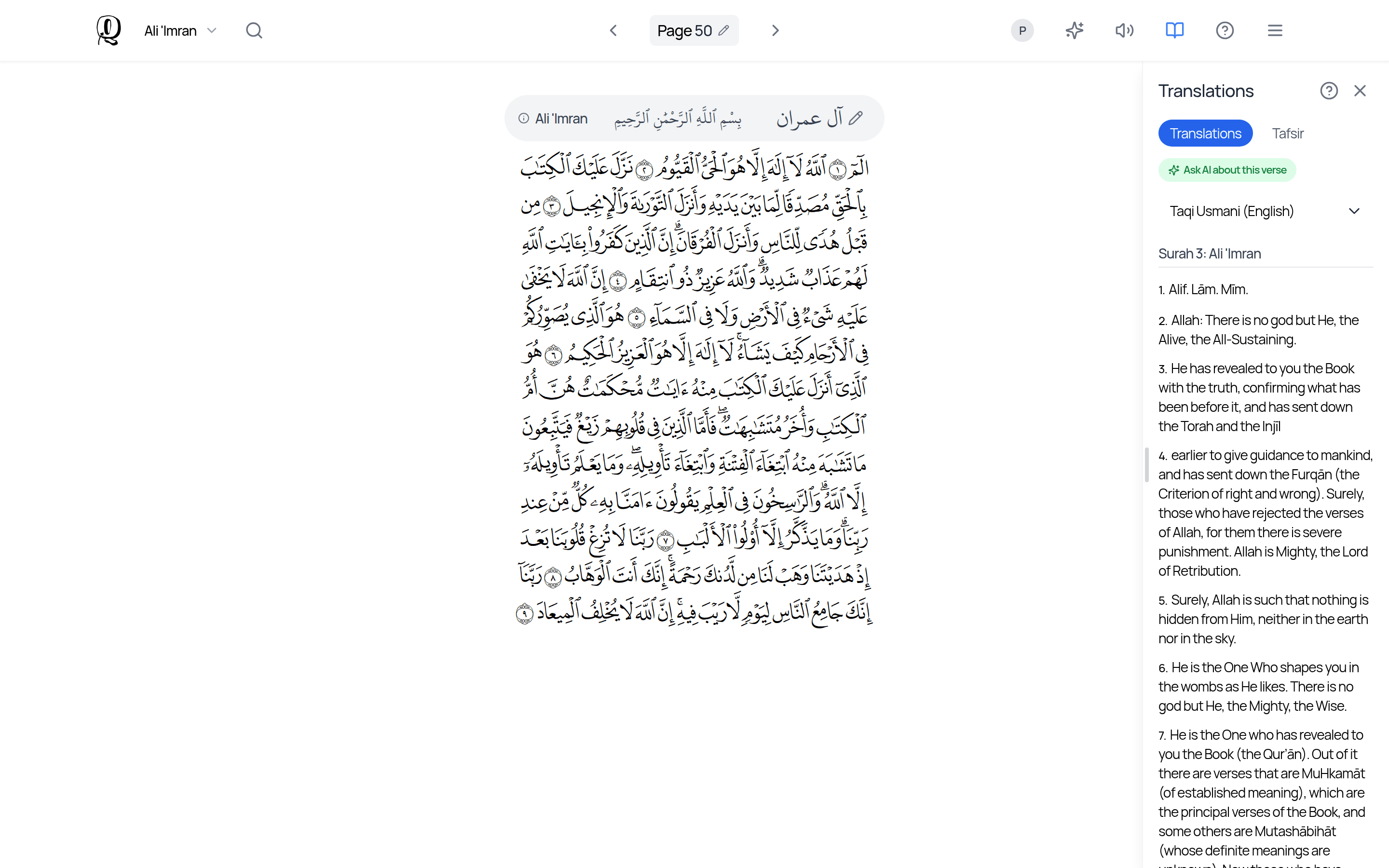
Translations tab
Use Select Translation to choose what to show:
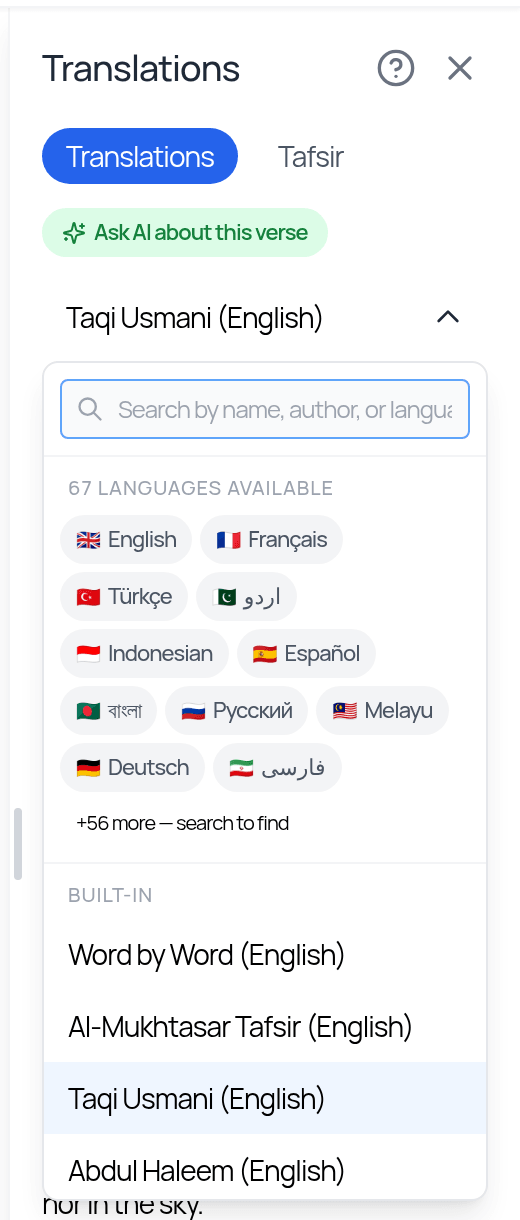
- —Built-in: Word by Word (English), Al-Mukhtasar Tafsir (English), Taqi Usmani (English), Abdul Haleem (English), Sahih International (English).
- —More translations from Quran Foundation in many languages. Tap a language chip (for example English, العربية, Français, Türkçe, اردو, Indonesian, Español, বাংলা, Русский, Melayu, Deutsch, فارسی, or Show all) or search by name, author or language. These need an internet connection.
Word-by-word meaning is a choice in the Select Translation list. If you want word-by-word meaning printed on the page itself, create a Word by Word mushaf (see "Creating and managing mushafs"). It can include transliteration.
Ask AI about this verse opens the AI Study Assistant focused on that verse (uses AI credits).
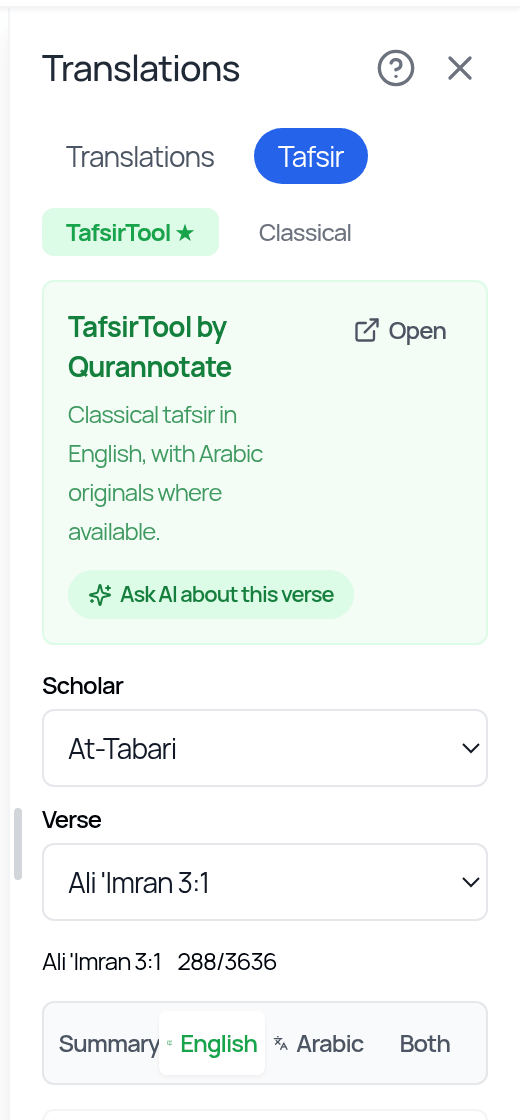
Tafsir tab
There are two sources:
- —TafsirTool (the default): classical tafsir in English, with the Arabic originals where available. Choose a scholar: At-Tabari, Al-Qurtubi, Al-Baghawi, Ibn Kathir, Ar-Razi, Ibn Al-Jawzi, Ibn Qayyim, As-Saadi, Ibn Ashur, Al-Alusi, Sayyid Qutb, Al-Biqa'i, Ibn Atiyyah or Al-Zamakhshari. Switch between Summary, English, Arabic or Both. The Summary view is an AI-generated summary. Open the full commentary for complete context. Open in TafsirTool opens the full text on tafsirtool.com.
- —Classical: tafsirs provided by Quran Foundation.
Tafsir needs an internet connection.
Translation inside notes
When you insert a verse into a note with the slash command (e.g. /2:255) or Insert > Ayah / Hadith, the Arabic and a translation are inserted together.
Translations and tafsir are study aids. For religious questions, please consult qualified scholars.
Related Articles
Was this helpful?
Ready to annotate the Qurʼān?
Qurannotate is free to start — no sign-up required on web.