What Qurannotate is
What Qurannotate is: a Qur’an study app for writing, drawing and typing notes on the mushaf.
Last updated 27 September 2026
Qurannotate is a Qur'an study app. You write, draw and type your notes straight onto the Qur'an. When you finish a note, it tucks back into the page, so your reflections stay attached to the verse, word, surah or page they belong to.
It is for anyone who studies the Qur'an's meanings: students, teachers, people attending classes or lectures, and anyone keeping personal reflections.
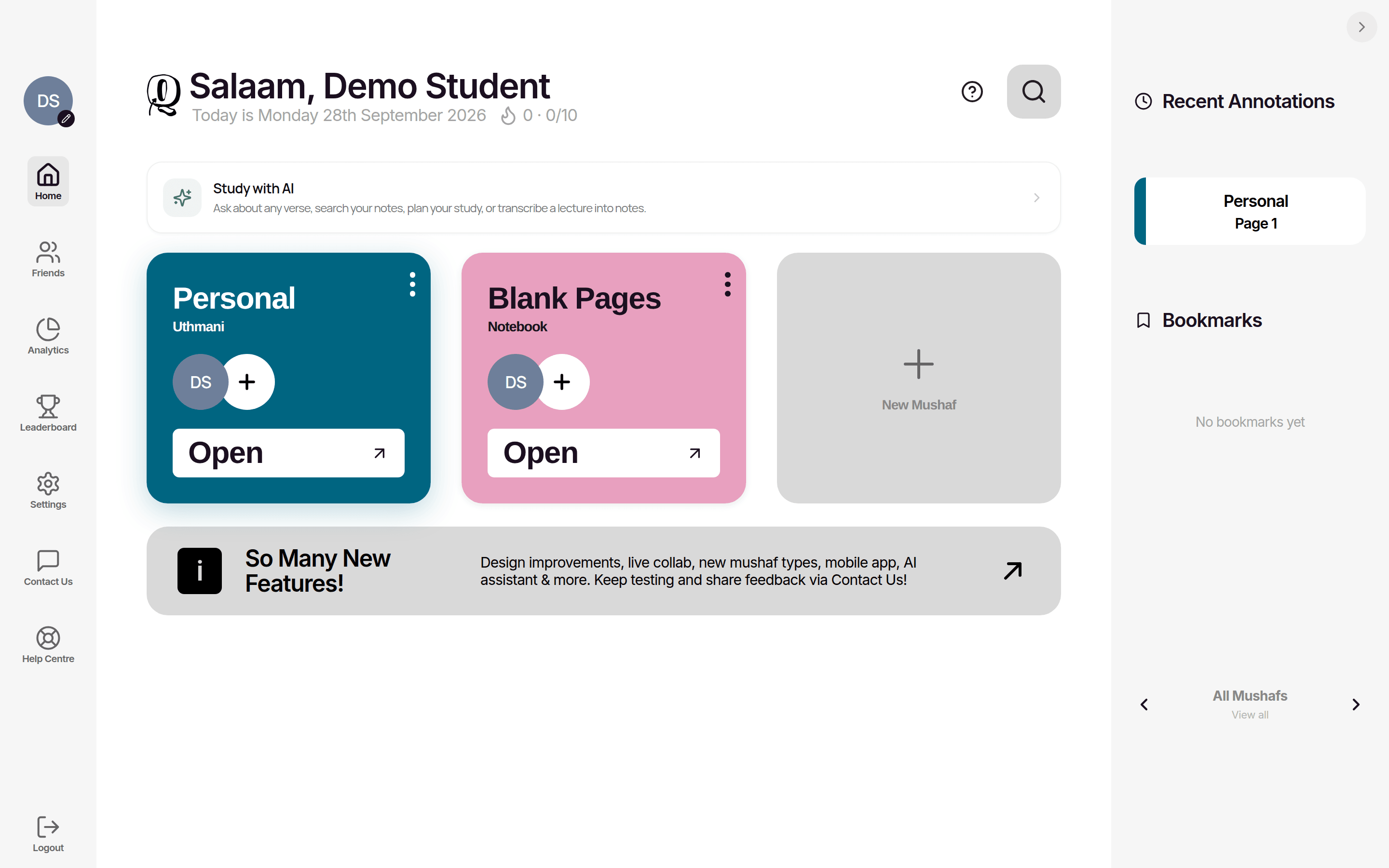
What you can do
- —Annotate the Qur'an. Add notes at four levels: a whole page, a surah (at its title banner), a verse, or a single word. Each note opens as a large canvas where you can handwrite, highlight, type, add shapes, images, verses and hadith.
- —Keep notebooks. Create blank notebooks for class notes, journals and study plans: freeform canvases, typed documents, ready-made study templates and multi-page journal packs.
- —Read with meaning. Open translations, word-by-word meaning and tafsir beside the page.
- —Listen. Play verse-by-verse recitation from a choice of reciters.
- —Study with AI. Ask the AI Study Assistant about a verse or your notes, and turn lectures into transcripts (this uses AI credits).
- —Share and collaborate. Share a mushaf view-only or edit it live with others.
- —Export. Save your notes as PDF and Word (DOCX) files.
- —Track your progress. See your streak, daily goal, activity and a leaderboard with friends.
Qur'an scripts (mushaf types)
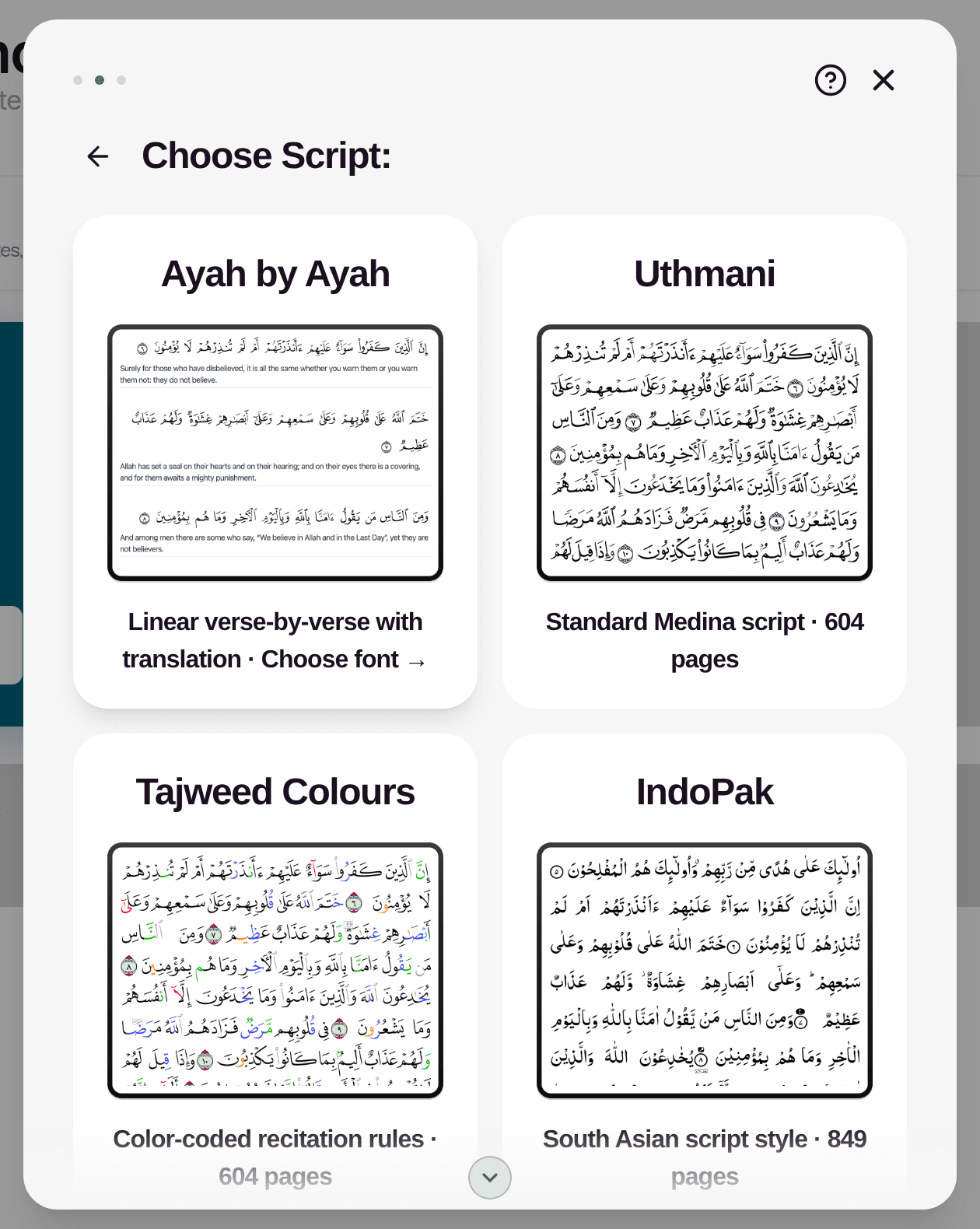
When you create a Qur'an mushaf you choose one of these:
- —Ayah by Ayah: verse-by-verse layout with a translation under each verse. You pick the script (Uthmani, IndoPak or Tajweed Colours) and a translation (Taqi Usmani, Abdul Haleem, Al-Mukhtasar Tafsir or Sahih International).
- —Uthmani: the standard Madinah script, 604 pages.
- —Tajweed Colours: colour-coded recitation rules, 604 pages.
- —IndoPak: South Asian script style, 849 pages.
- —Traceable: a mushaf for practising handwriting, 604 pages.
- —Word by Word: Arabic with an English meaning under each word, in Uthmani (604 pages) or IndoPak (849 pages), with optional transliteration.
Notebook formats
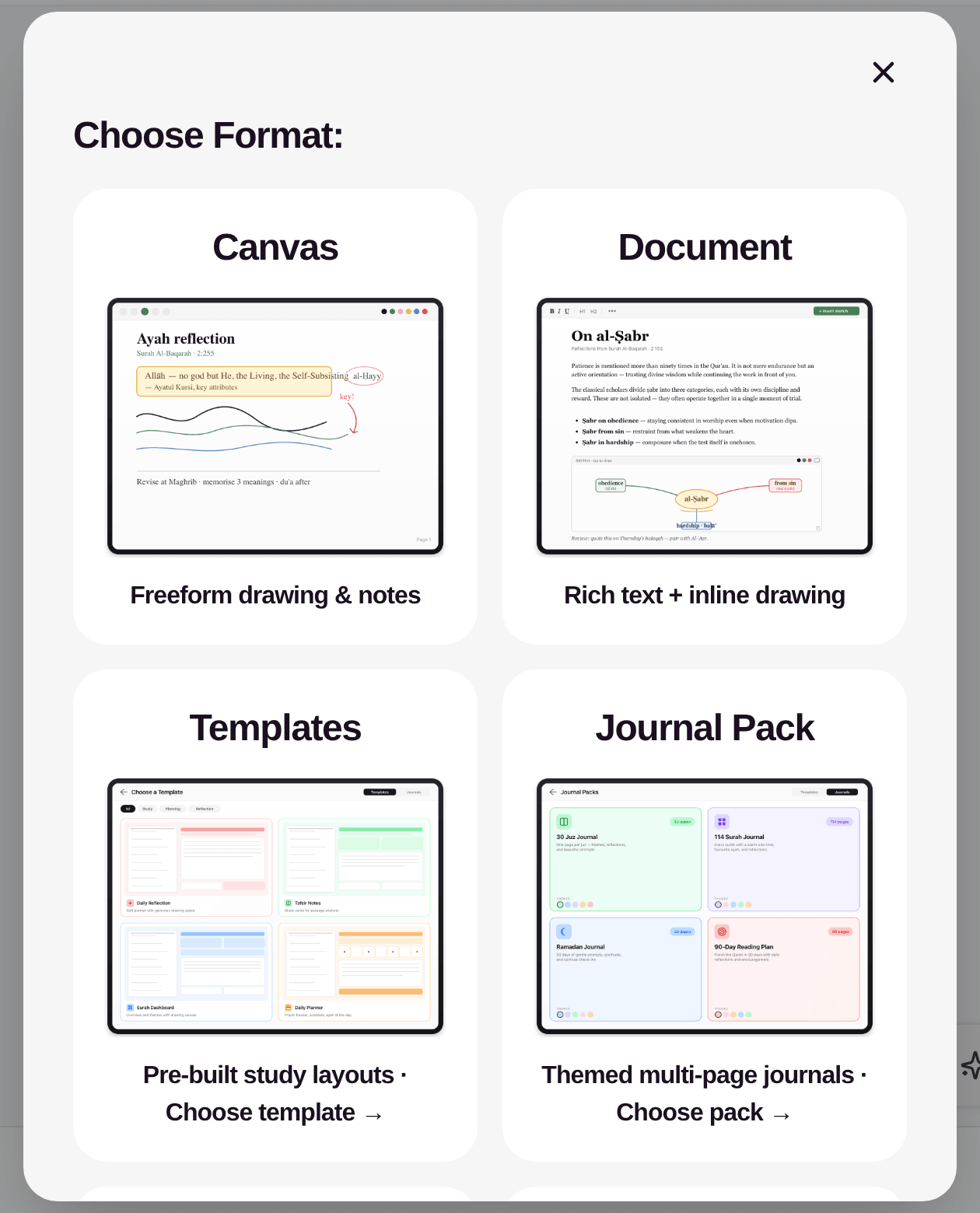
- —Canvas: freeform drawing and notes.
- —Document: typed rich text (headings, lists, tables, images, ayahs).
- —Templates: pre-built study layouts (Daily Reflection, Tafsir Notes, Surah Dashboard, Ayah Worksheet, Theme Deep Dive, Uloom al-Surah, Daily Planner, Weekly Planner).
- —Journal Pack: themed multi-page journals (30 Juz Journal, 114 Surah Journal, Ramadan Journal, 90-Day Reading Plan).
- —Import: start a notebook from a PDF, images, Word or PowerPoint file.
You can have up to 10 mushafs and notebooks on your dashboard at a time.
Where it works
Qurannotate runs in a web browser, as apps for iPhone/iPad and Android, and as a desktop app for Mac and Windows. Your account and notes are the same everywhere. See "Platforms and downloads".
Getting access
New accounts start with a 15-day free trial with no card needed. After that you need a membership to keep using the app. See "Plans, trial and pricing".
Related Articles
Was this helpful?
Ready to annotate the Qurʼān?
Qurannotate is free to start — no sign-up required on web.