AI credits and AI Pro
How AI credits work, what uses them, monthly credits and adding more with AI Pro.
Last updated 27 September 2026
AI features in Qurannotate use AI credits.
Your monthly credits
- —Every account gets 90 AI credits a month.
- —New credits are added to your balance on the 1st of each month. Unused credits are not taken away when the new month's credits are added.
- —With AI Pro, you get an extra 500 credits a month.
What uses credits
- —AI Study chat: each answer uses a small amount of credit depending on its length. Short answers cost a fraction of a credit. You need at least 3 credits to send a message.
- —Transcribing an audio file or YouTube lecture: about 2 credits per minute of audio, plus a little for processing. You need at least 5 credits to start.
- —Live transcription / live translation: 2 credits per minute while it runs. Sharing a live audience link adds 1 credit per minute for each language your listeners are reading in, only while listeners are connected. You need at least 2 credits to start, and live sessions stop if you run out.
- —Reading text from a screenshot in the Share & Export screen also uses credits.
Where to see your balance
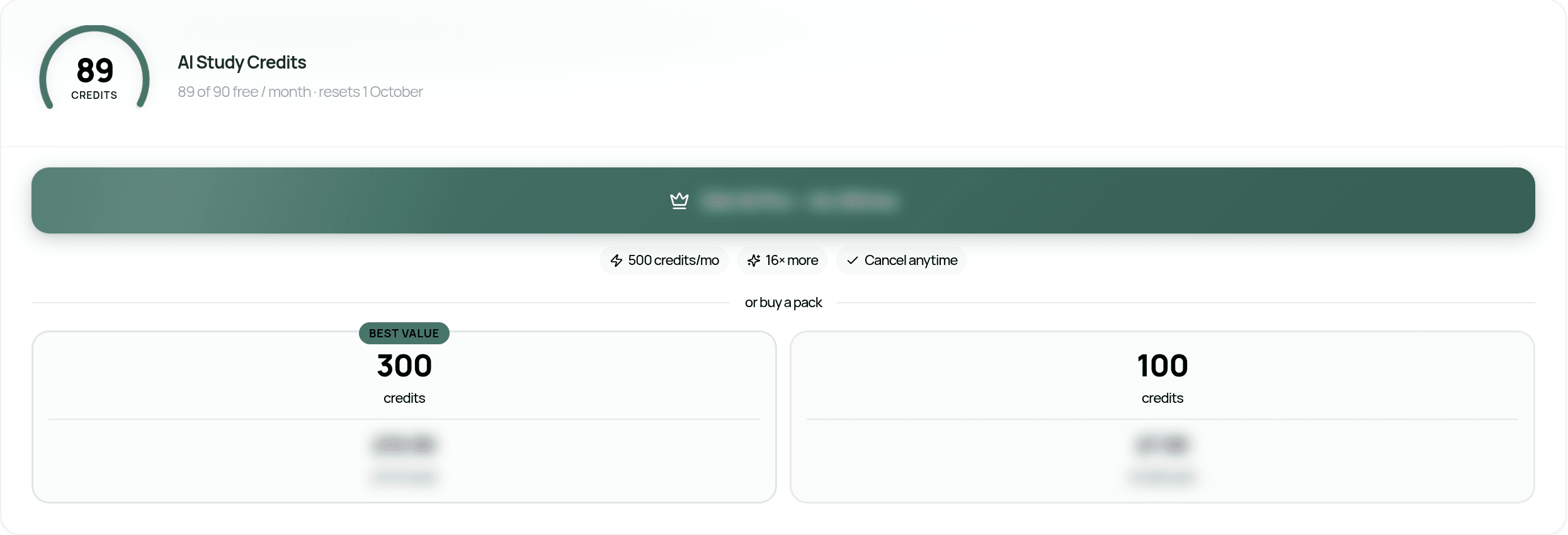
- —Settings > Plan > AI Study Credits shows how many credits you have, your monthly allowance and the date of your next top-up.
- —In the AI Study panel, a notice appears when you have 5 credits or fewer ("N credits left" or "No credits left") with a Top up button.
- —The Lecture tab shows your remaining credits before you start.
Running out
If you run out, you'll see "You're out of credits". Your conversation is saved. You can wait for your next monthly credits, or buy more.
Buying more credits
On the web and desktop app (Settings > Plan, or the Top up button):
- —AI Pro: a monthly add-on with 500 extra credits every month. Cancel any time.
- —Credit packs: one-off packs of 100 or 300 credits.
- —Prices are shown in the app where you buy them, in your currency.
In the iPhone/iPad and Android apps (in versions that offer purchases), AI Pro and credit packs are bought through the App Store or Google Play at the price shown in the app. In the apps they're available to members with a paid plan. If you're still on your free trial, you'll be asked to upgrade first. After buying, you'll see "Purchase complete. Adding your credits…". Credits can take a minute to appear.
If the app says extra credits aren't available to buy in the app yet, your monthly credits still top up automatically, and you can buy credits on the web at app.qurannotate.com with the same account.
AI Pro is a subscription. Manage or cancel it the same way as your membership (see "Managing or cancelling your membership").
Credits missing after a purchase? Email salam@qurannotate.com with your account email and the time of purchase.
Was this helpful?
Ready to annotate the Qurʼān?
Qurannotate is free to start — no sign-up required on web.